Data is the new gold—and in Salesforce, it’s the fuel behind every insight, workflow, and customer decision. But having more data doesn’t automatically create smarter outcomes. The real power lies in knowing what your data means, how it connects, and how quickly your teams can find and use it.
That’s where metadata—and more importantly, smart data tagging—comes in.
And this is precisely where PinTags helps Salesforce teams unlock the next level of clarity, organization, and intelligence in their org. In today’s Salesforce-driven world, data lives everywhere: objects, fields, attachments, files, custom records, integrations, and automation logs.
Without a tagging system, even the best data becomes disconnected and underutilized. PinTags solves this challenge by making Salesforce tagging simple, structured, and scalable.
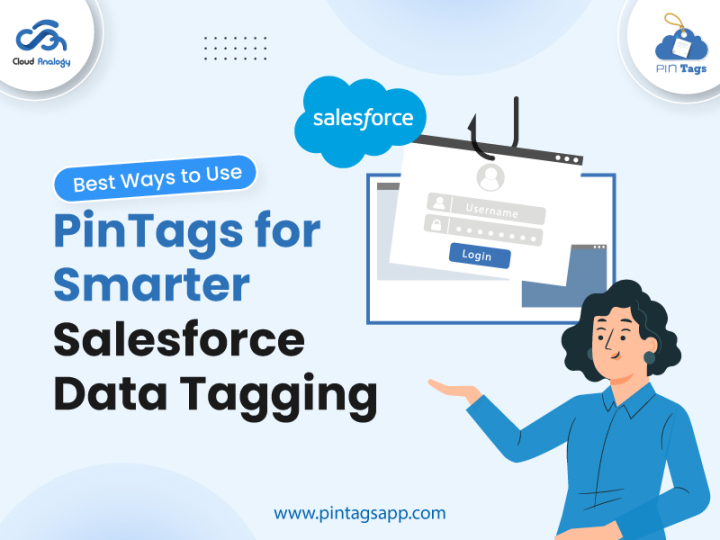
Let’s explore the best ways to use PinTags for smarter Salesforce data tagging—rooted in proven tagging principles and amplified by PinTags’ powerful features.
1. Build a Standardized Tagging Framework with PinTags
To unleash the power of metadata, you need consistency. PinTags enables teams to create a clean, structured, and centralized tagging system across Salesforce objects.
Without standardization, tags can easily become duplicates, mismatches, or inconsistent labels. PinTags solves this by allowing admins to define controlled vocabularies, governed tag sets, and pre-approved tag lists, ensuring that every user applies tags uniformly.
This eliminates homonyms, synonyms, and incorrect tag usage—making your Salesforce data cleaner and smarter.
Key Benefits:
- Ensures consistent tagging across teams.
- Prevents duplicate or ambiguous tags.
- Improves search accuracy and reporting.
- Strengthens metadata governance.
Use Case
A global sales team uses PinTags to standardize Opportunity tags like “High Priority,” “Partner Deal,” and “Renewal Cycle.” This helps leadership generate clean, unified reports across regions without dealing with tagging chaos.
2. Apply Multi-Purpose Tags to Maximize Discoverability
Salesforce data often serves multiple teams—but only when it’s easy to find. PinTags simplifies multi-tagging with intuitive controls.
Instead of limiting a record to one label, PinTags allows you to apply multiple relevant tags to any Salesforce record—Accounts, Contacts, Cases, Opportunities, or custom objects. This improves data discoverability across sales, service, compliance, and analytics teams.
Key Benefits:
- Makes records easy to locate across multiple workflows.
- Enhances cross-team visibility and collaboration.
- Uncovers new use cases and insights.
- Reduces time spent searching for data.
Use Case
A customer support team tags cases with “Bug,” “Urgent,” and “Premium Client.” Marketing later discovers these tags help identify customers affected by similar issues, enabling proactive outreach.
3. Avoid Over-Tagging with Smart Controls
More tags don’t always mean better organization. PinTags helps teams strike the right balance.
Over-tagging leads to clutter, noise, and irrelevant metadata. PinTags provides tag usage insights and frequency analytics, helping admins review tag patterns and remove unnecessary or redundant tags. With PinTags’ intelligent structure and rules, teams avoid over-classification and maintain a clean tagging ecosystem.
Key Benefits
- Prevents clutter and unnecessary tags.
- Maintains high-quality metadata.
- Simplifies user experience.
- Supports optimized data retrieval.
Use Case
A Salesforce admin reviews PinTags analytics and discovers that two rarely used tags (“Critical-New” and “Critical-Now”) overlap with the tag “Urgent.” These are merged for consistency, simplifying dashboards and searches.
4. Refresh and Reevaluate Tags with PinTags Insights
As your business evolves, so must your tagging strategy. PinTags makes it easy to audit, update, and realign your tagging structure.
Whether product lines change, new regulations emerge, or business units expand, PinTags provides built-in tools to manage tag lifecycle—including editing, replacing, archiving, and reassigning tags across Salesforce records.
Key Benefits
- Keeps metadata aligned with current business processes.
- Ensures accurate reporting and compliance.
- Allows easy archiving or updating of outdated tags.
- Improves long-term data health.
Use Case
After a product rebrand, marketing uses PinTags to bulk-update all related Account and Opportunity tags from “Legacy Product A” to “Product A+,” maintaining reporting accuracy without manual edits.
5. Design a Clean, Governed Tag System with PinTags
A strong tagging structure starts with taxonomy and governance—and PinTags helps enforce both. PinTags supports admins in defining a clear taxonomy, naming conventions, and parent–child tag relationships.
This ensures that users choose from approved tags rather than creating their own variations (e.g., “COVID-19,” “Covid19,” “Covid,” etc.). Parent/child tags add granularity while keeping the structure clean and scalable.
Key Benefits
- Enforces naming rules and tagging consistency.
- Prevents redundant or conflicting tags.
- Supports hierarchical tag structures for smart filtering.
- Ensures organization-wide compliance.
Use Case
A content team tags Articles with parent tags like “Type,” and child tags like “FAQ,” “Guide,” and “Troubleshooting.” This helps support agents instantly filter for the right content during live calls.
6. Automate Tagging Tasks to Boost Productivity
Automation is at the heart of scalable data management—and PinTags integrates smoothly with Salesforce automation.
PinTags allows automated tagging through Salesforce Flow, Process Builder, or Apex triggers. Whether tagging new Leads, updating Account statuses, or adding compliance labels, automation guarantees consistent, error-free tagging without manual effort.
Key Benefits
- Eliminates repetitive manual tagging.
- Reduces human error.
- Ensures instant, rule-based tag application.
- Improves operational efficiency.
Use Case
When a new Lead comes in through a webinar form, Salesforce Flow automatically tags it with “Webinar,” “MQL,” and “Industry: SaaS” using PinTags—saving sales teams time and speeding up routing.
7. Improve Compliance & Data Governance with Tag-Based Control
Regulations require businesses to track sensitive information, and PinTags makes this simple and accurate.
PinTags helps organizations identify and classify personal data, sensitive fields, restricted data, and audit-critical records. This ensures compliance with GDPR, CCPA, ISO frameworks, and internal governance policies.
Key Benefits:
- Supports data minimization and classification.
- Simplifies data access governance.
- Enhances audit readiness.
- Reduces compliance risks.
Use Case
A financial services company uses PinTags to label Accounts with “Contains Personal Data.” During audits, these records are easily identified and reviewed, strengthening compliance controls.
Conclusion
Effective data tagging is no longer optional in Salesforce. It’s foundational for data quality, discoverability, reporting, automation, compliance, and cross-team collaboration.
PinTags takes the complexity out of tagging and turns it into a powerful, structured system your entire Salesforce org can rely on.
With standardized taxonomies, automated tagging, audit tools, tag hierarchies, and clean governance controls, PinTags helps businesses unlock the full value of their Salesforce data.
Ready to organize your Salesforce data the smart way? Book a Demo and see PinTags in action.